
I like cash back as much as the next personal finance blogger! I’m always searching for cash back offerings on credit cards, apps, and other financial products. Anytime that I can receive cash back on products that I already need or use, that is a nice money saving perk. Cash back offerings can add up quickly and should not be ignored.
Here is a quick and shameless referral pitch from me. Download the Upside smartphone app by clicking the below link or use my code 3PNRVA to receive $7 extra cash back on your first purchase! https://upside.app.link/3PNRVA
Upside, is an interesting cash back app that I stumbled upon a few years ago after hearing an ad on the radio. Upside offers cash back for purchases at select gas stations, restaurants, grocery stores, and convenience stores. You can find the Upside app in the app stores of both Apple and Android smartphones. The Upside cash back offerings differ based on where you are located and what businesses are participating in the Upside program. Fortunately, there are a lot of businesses that you probably already use which participate in the program. A few examples of local businesses near me that are currently participating include: 7-Eleven, Mobil, RaceTrac, Chevron, Taco Bell, Domino’s Pizza, Jimmy John’s, Sonic, KFC, and Firehouse Subs. I just named the large brands that you will be familiar with, but there are also some small local businesses that you may see in the app. By joining Upside, these businesses are incentivizing customers to pay them a visit while also advertising their business.
Upside cash back offerings range from 1% to nearly 30%. To use the Upside app, you just need to open the app and select the category that you are interested in making a purchase from. If you are looking to find a restaurant, select the “Restaurant” category and the app will show you restaurants located near you that are offering cash back. If you find a restaurant that you like, select it and review the cash back offering along with the terms for how to redeem it. Many times, receiving cash back is as simple as tapping the “Claim” button, and uploading your receipt into the Upside app. Important Tip: Make sure to tap the “Claim” button prior to making your purchase and make your purchase within the specified time window that Upside requires. Usually you have several hours to make a purchase after you press the “Claim” button. Then in a day or two (sometimes less), you will see the cash back deposited into your Upside account.
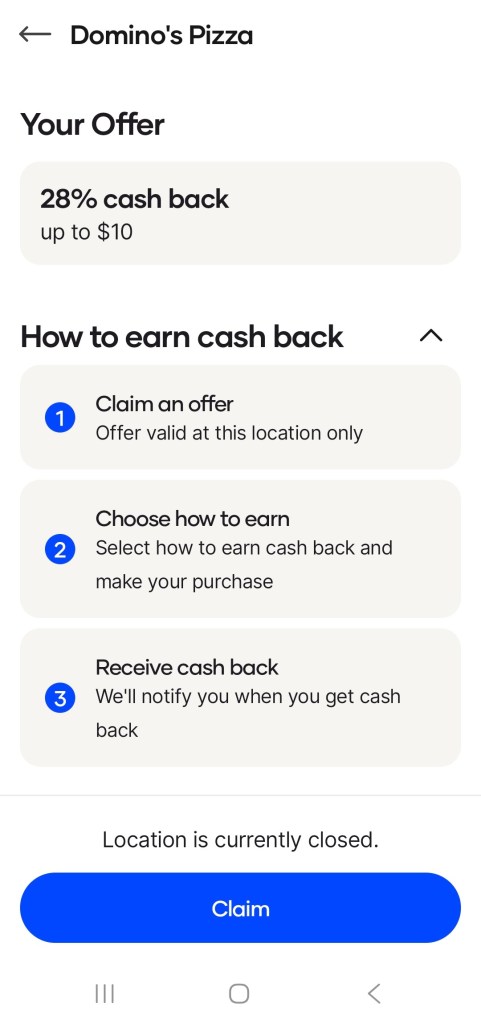
Below is a screenshot of a cash back offer from a Domino’s Pizza close to where I live. This one has a super high 28% cash back offer “up to $10.” If I was in the mood for some Domino’s, this would be a really nice offer to claim!
Once you build up a nice cash balance in the app, you can cash out to your bank account or a number of digital gift cards. Currently, I have $34 in my Upside account and I don’t think I will cash out until I make it to $50 or more.
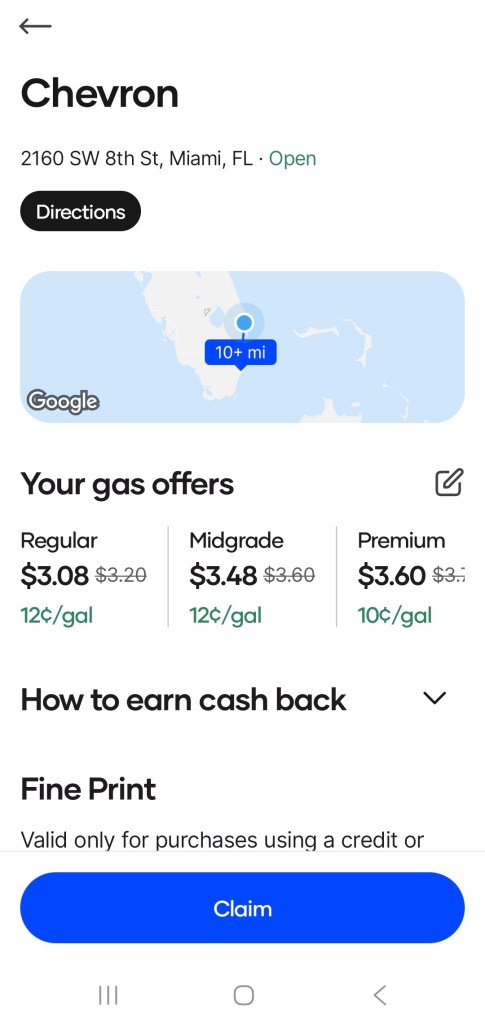
Another example that I want to mention which is an easy cash back opportunity in the Upside app is purchasing gas. You have to get gas for your vehicle anyways, so why not receive some extra cash back on your fill up? Select the “Gas” category in the app and see what gas stations near you are participating in Upside. In the app screenshot below, you can see that this gas station offers 10-12 cents cash back per gallon.
If you are also using a cash back credit card to pay for the gas, you are doubling up on your cash back earnings! This is a great way to stack some additional cash on your frequent gas purchases. Be intentional and organized with your spending so that you can save more money for you and your family. I think the Upside app is good opportunity to build up your cash back savings on everyday purchases.

Leave a comment